


 247
247
This Knowledge Base article will demonstrate the steps necessary to access, download, and view the study emailed to you by a Steadman Clinic employee.
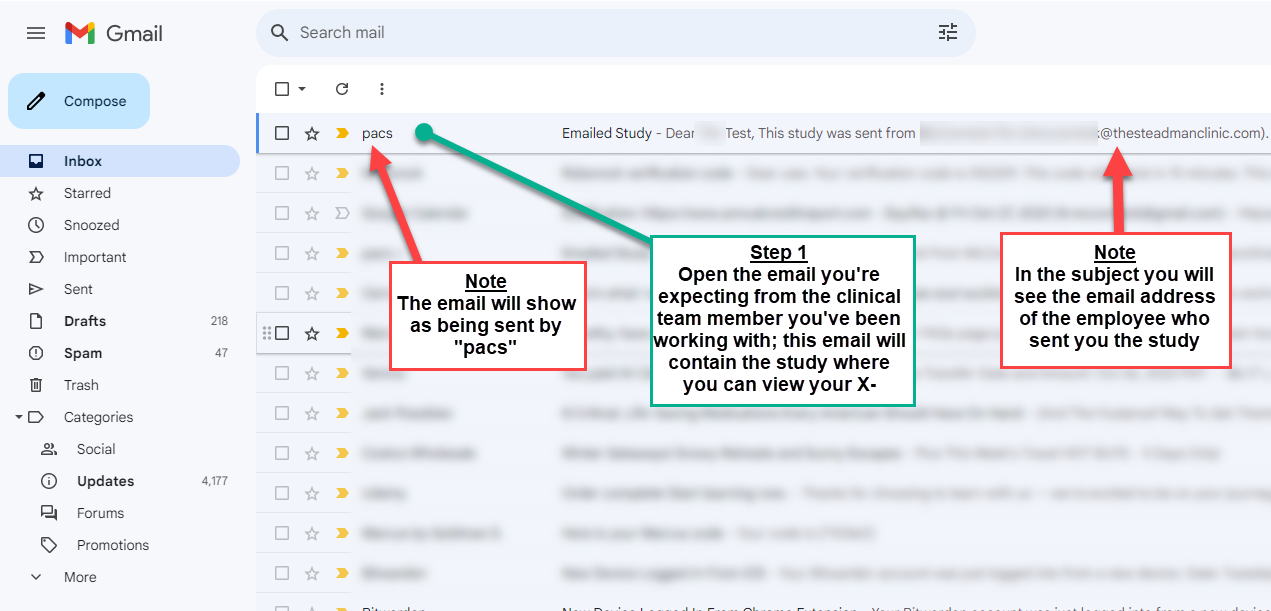
*The study will show up in your inbox as being sent by "pacs" rather than the employee you've been dealing with, while the subject is displayed as "Emailed Study"*
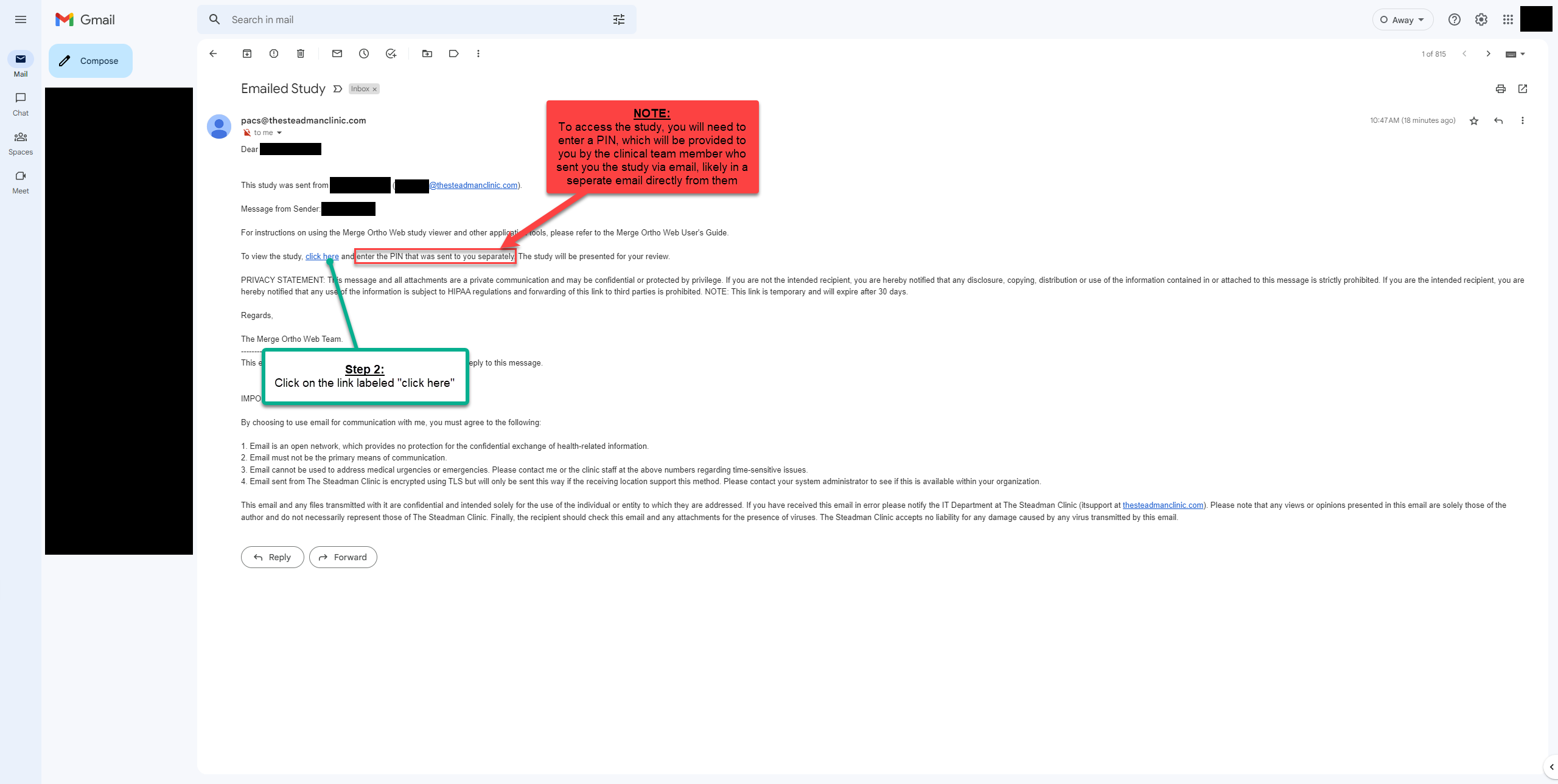
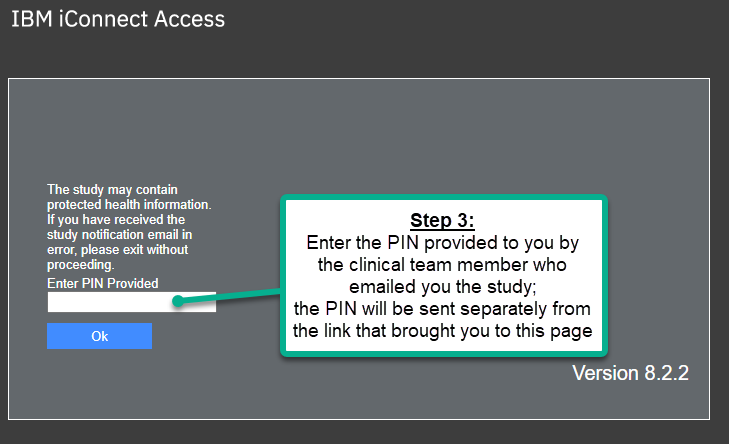
**To access the study, you will need a secure PIN, which will be provided to you in a separate method, either via email or over the phone, by the clinical employee sending the study**
***NOTE: to view the downloaded study, you will need to first install an image viewer based on the Operating System of your computer***
- If you have a Windows computer, install the viewer found here
- If you have a Mac (Apple) computer, install the viewer found here
Step 1. Log into the email address you provided the TSC employee, and open the applicable email; the sender will be shown as "pacs" and the subject as "Emailed Study"
Step 2. Once you have the security PIN from the Steadman Clinic employee, open the study by utilizing the "click here" link; you will need the PIN to access it, so without it, there's no need to open the link just yet.
Step 3. Enter the PIN provided by the Steadman Clinic employee and click the Ok button.
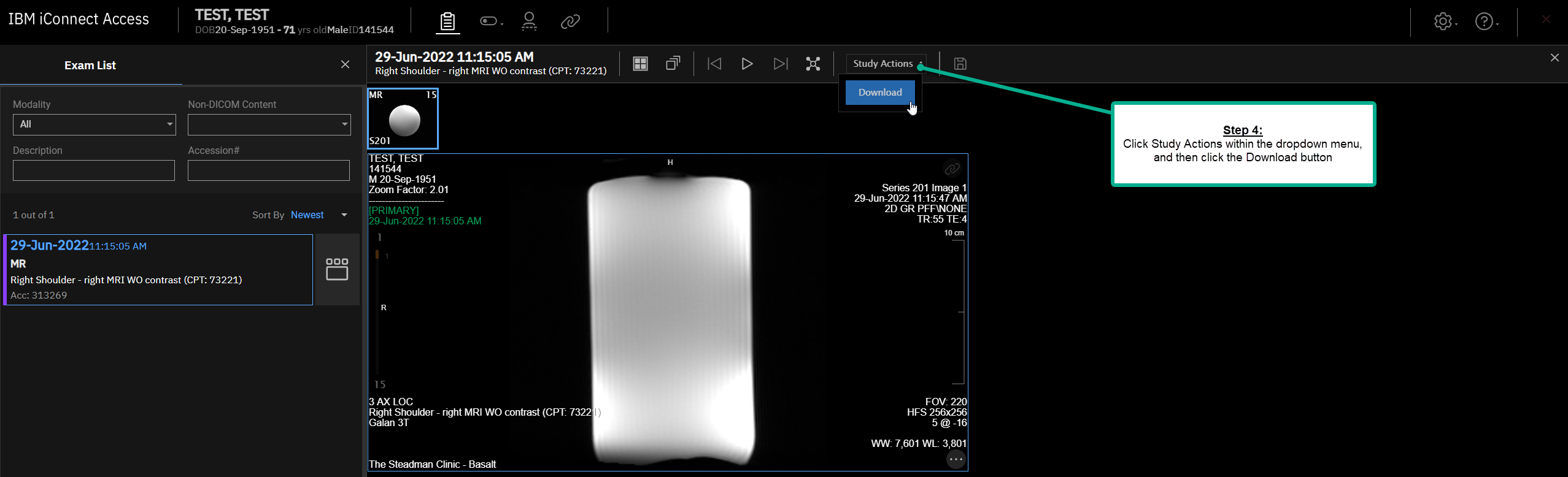
Step 4. Click Study Actions within the dropdown menu, and then click the Download button.
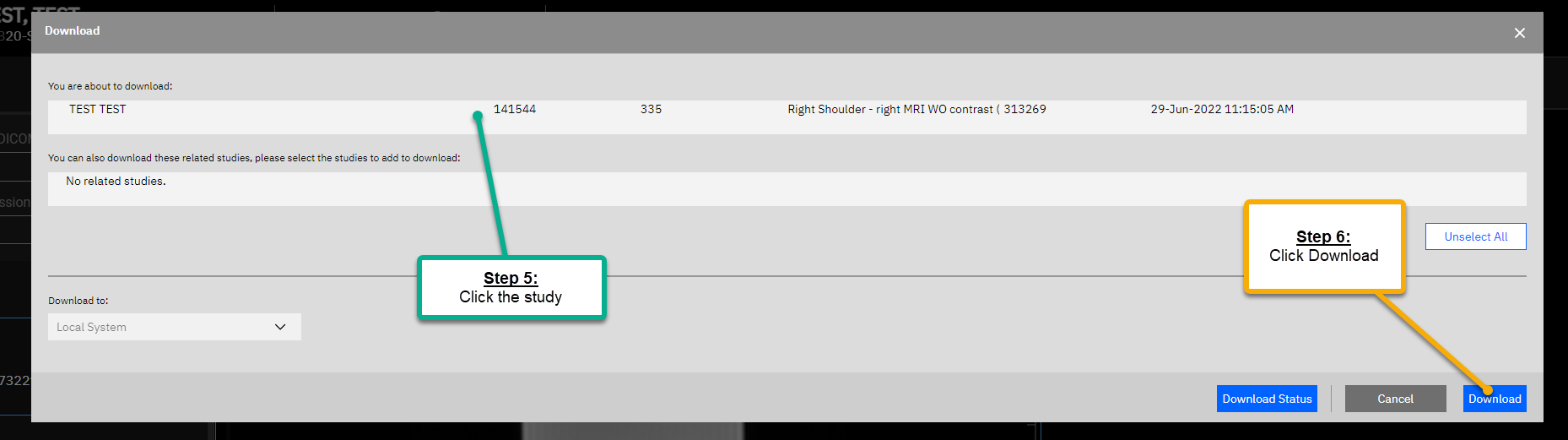
Step 5 & 6. In the resulting window, click on the study, and then click Download.
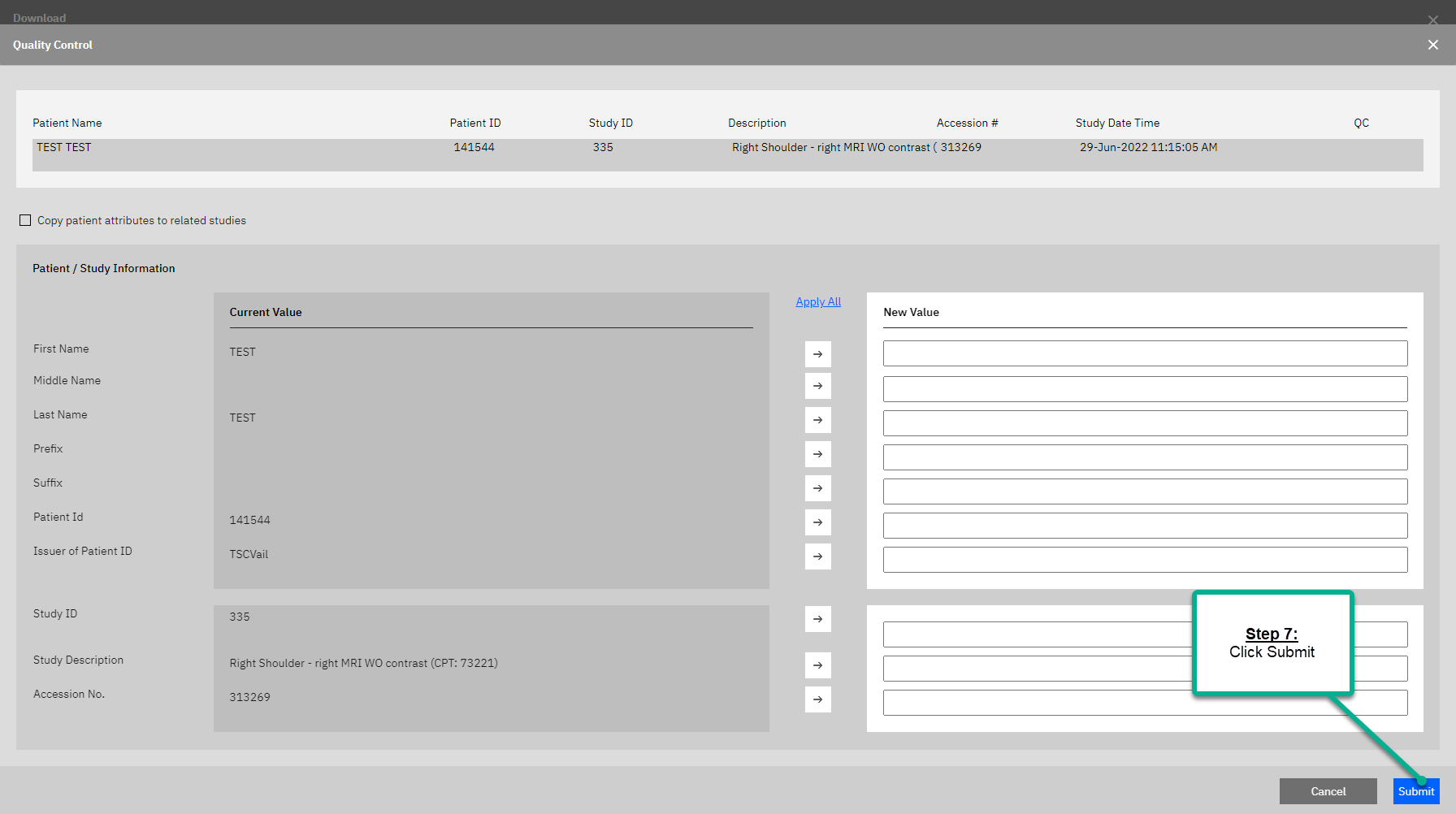
Step 7. Click the Submit button.
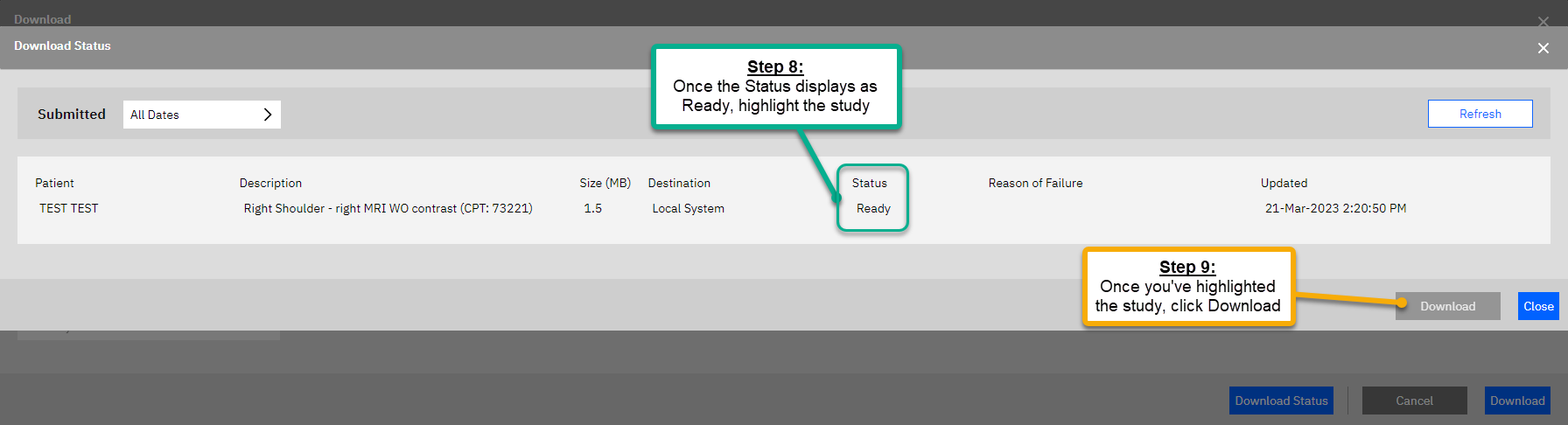
Steps 8 & 9. Once the Status field displays as "Ready" click the Download button.
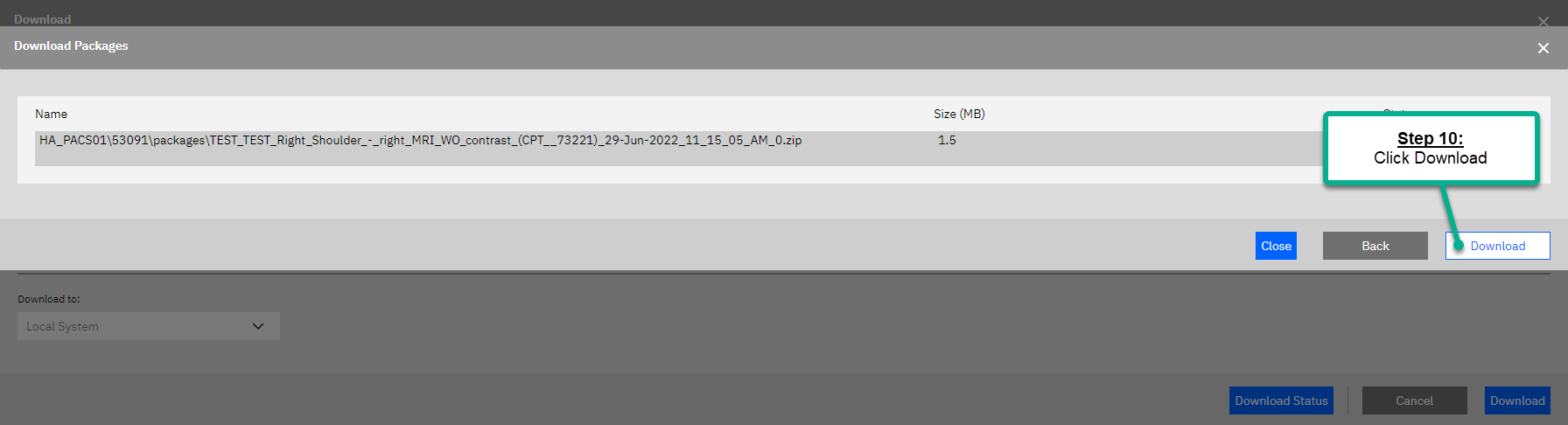
Step 10. Within the resulting window, click the Download button.
Step 11. Locate the downloaded study within your Downloads folder

